Powered by AutoRAG, open source

Ask your files.

A Finder for your Mac that understands what’s inside your documents, chats and mail. Just ask.

Free to start · No card required

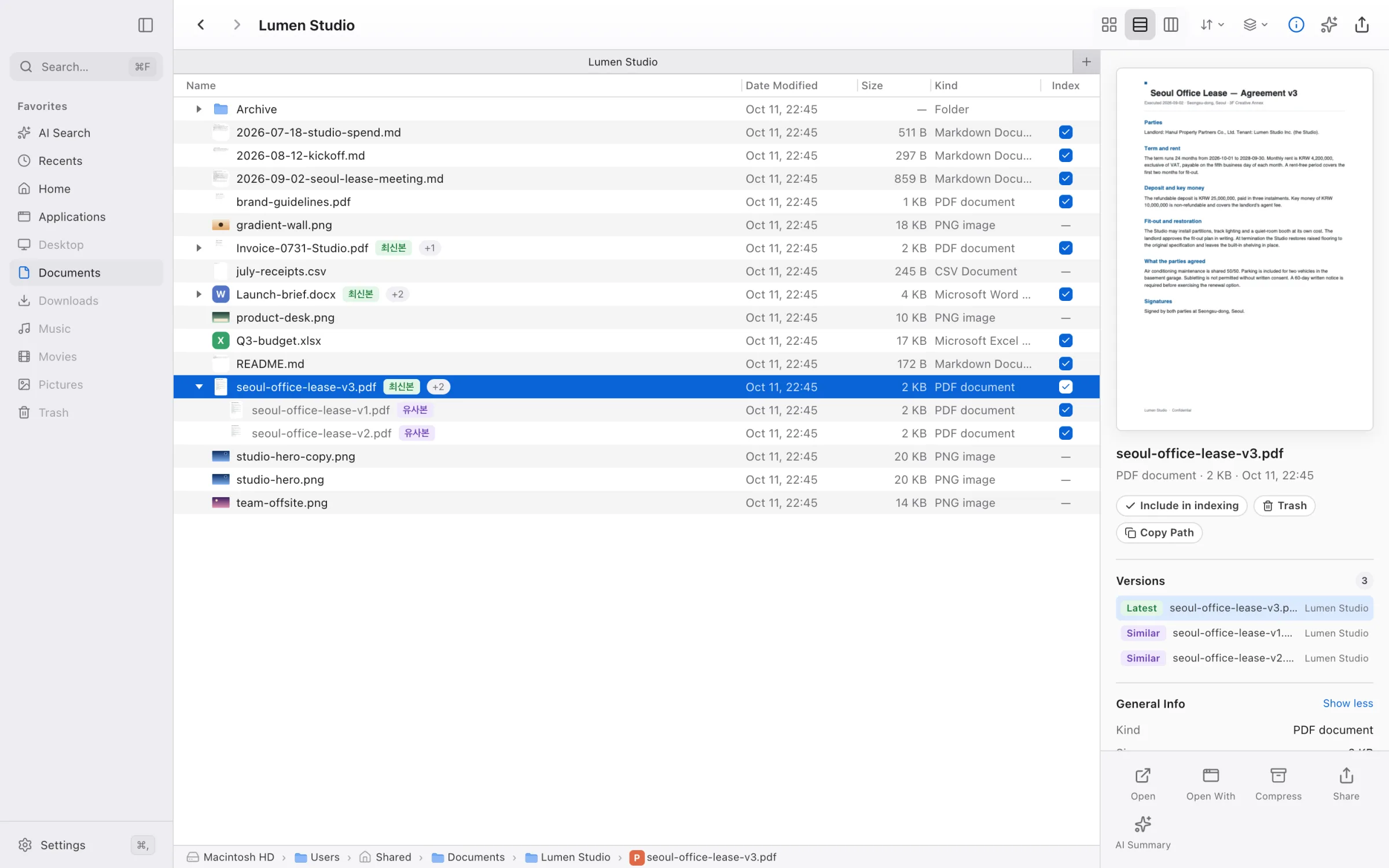
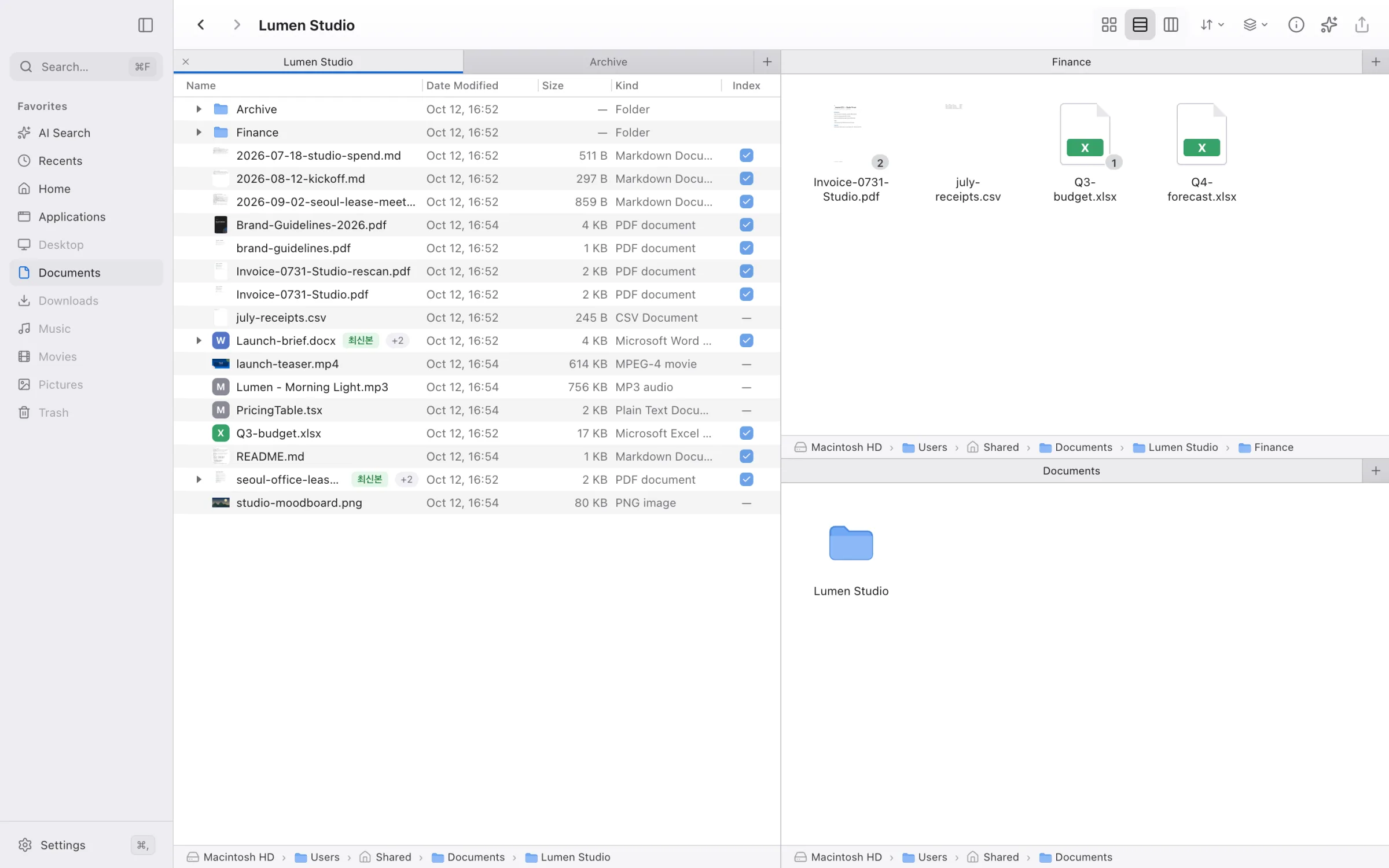
Dazzi Finder list view: a studio folder with a version stack expanded and a PDF preview in the inspector

Your files, your chats, your mail. All in one place, and an assistant that actually reads them.

AI Search

Just ask.

Ask the way you’d ask a teammate. Dazzi reads the files and writes back.

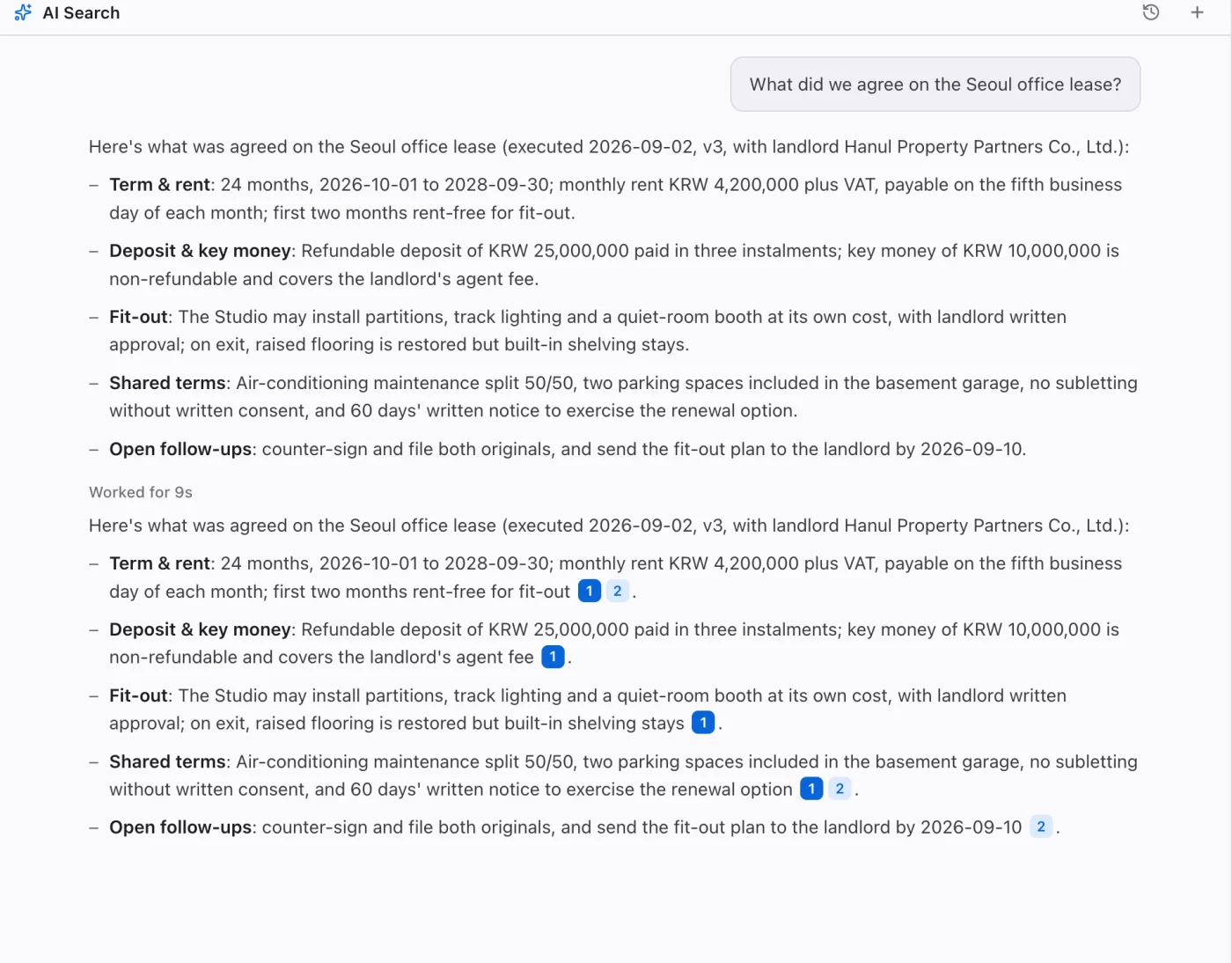
What did we agree on the Seoul office lease? ⌘K
A real Dazzi answer summarizing the Seoul office lease terms

Captured from the real app.

Quick Look

Space to see anything.

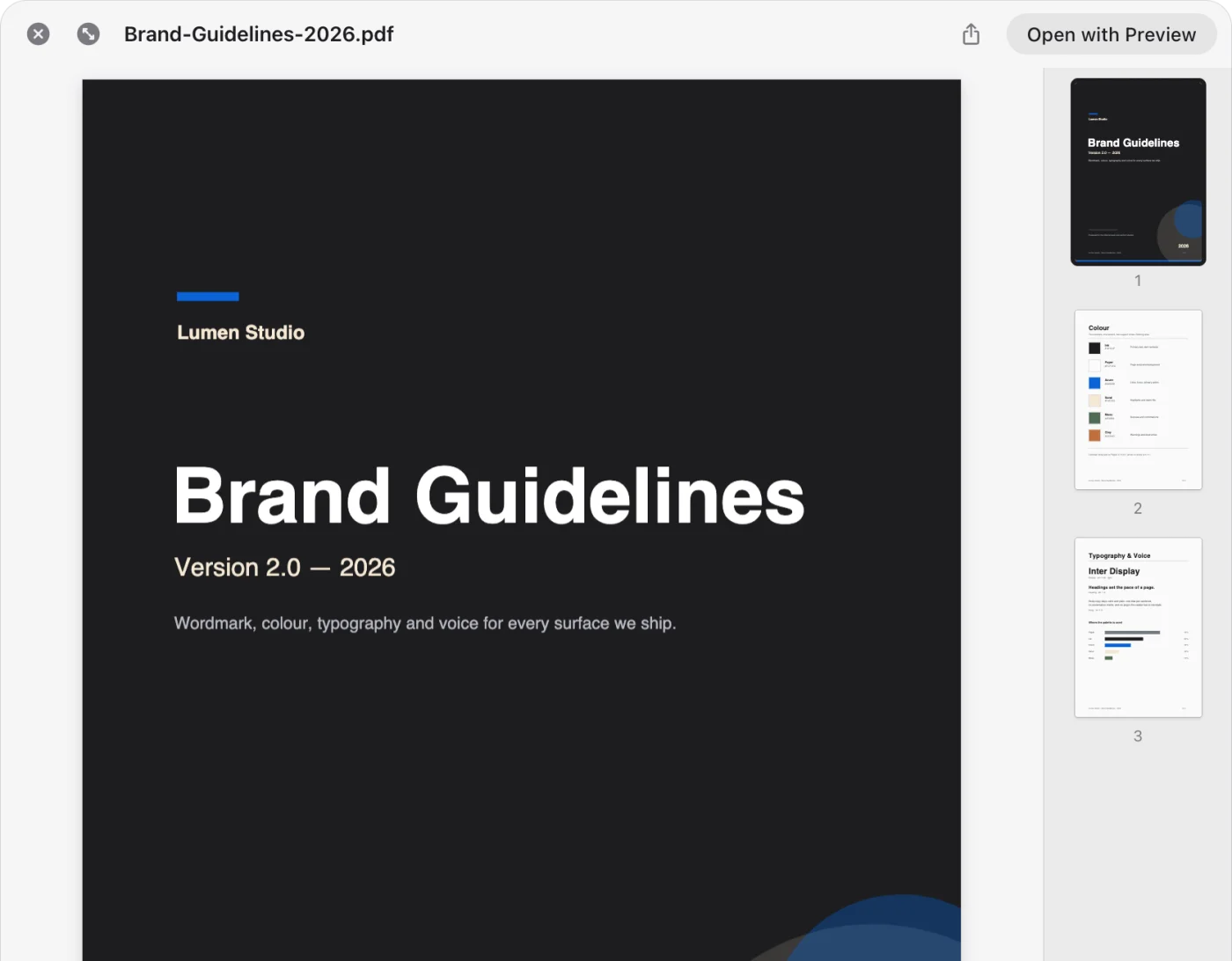
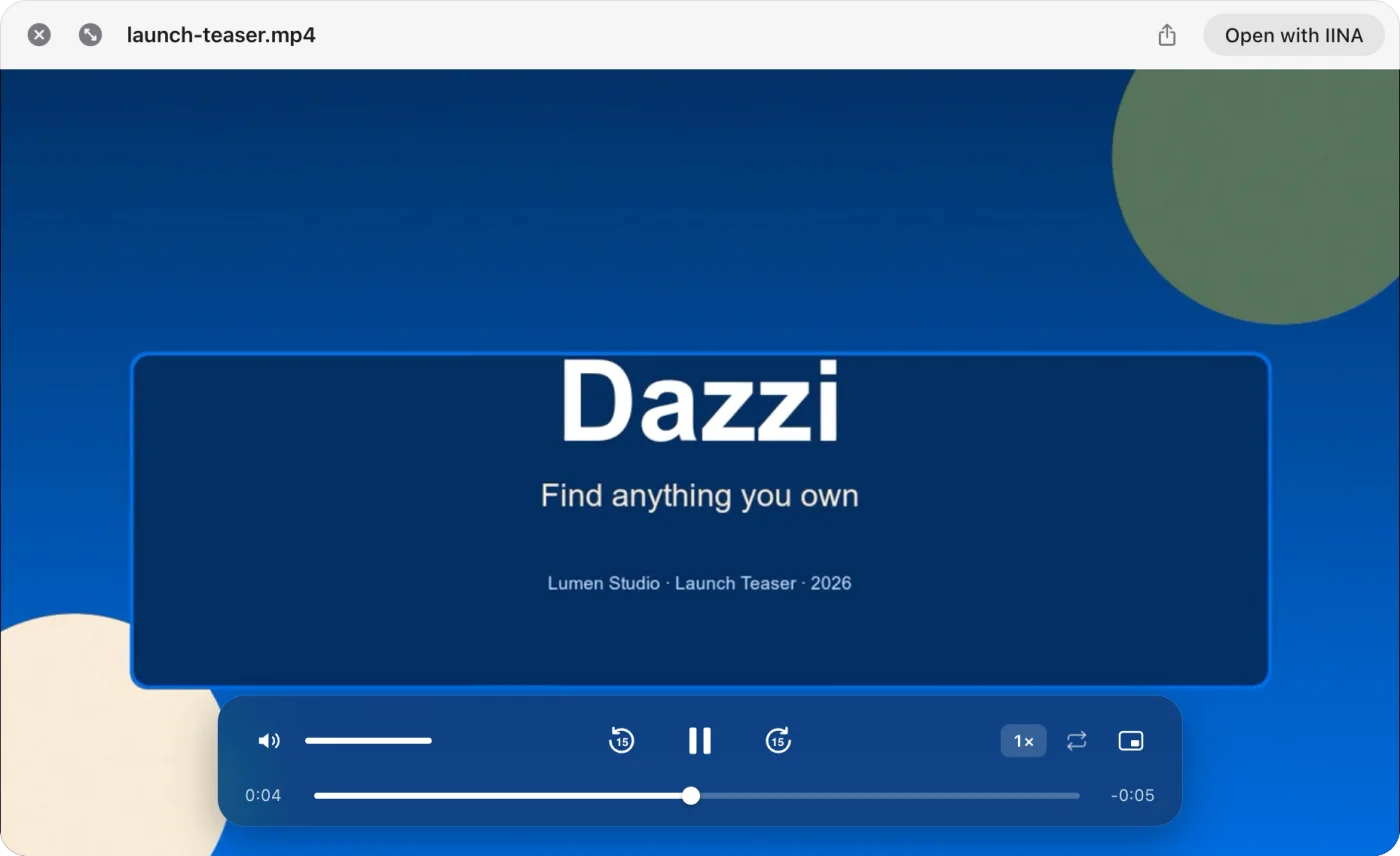
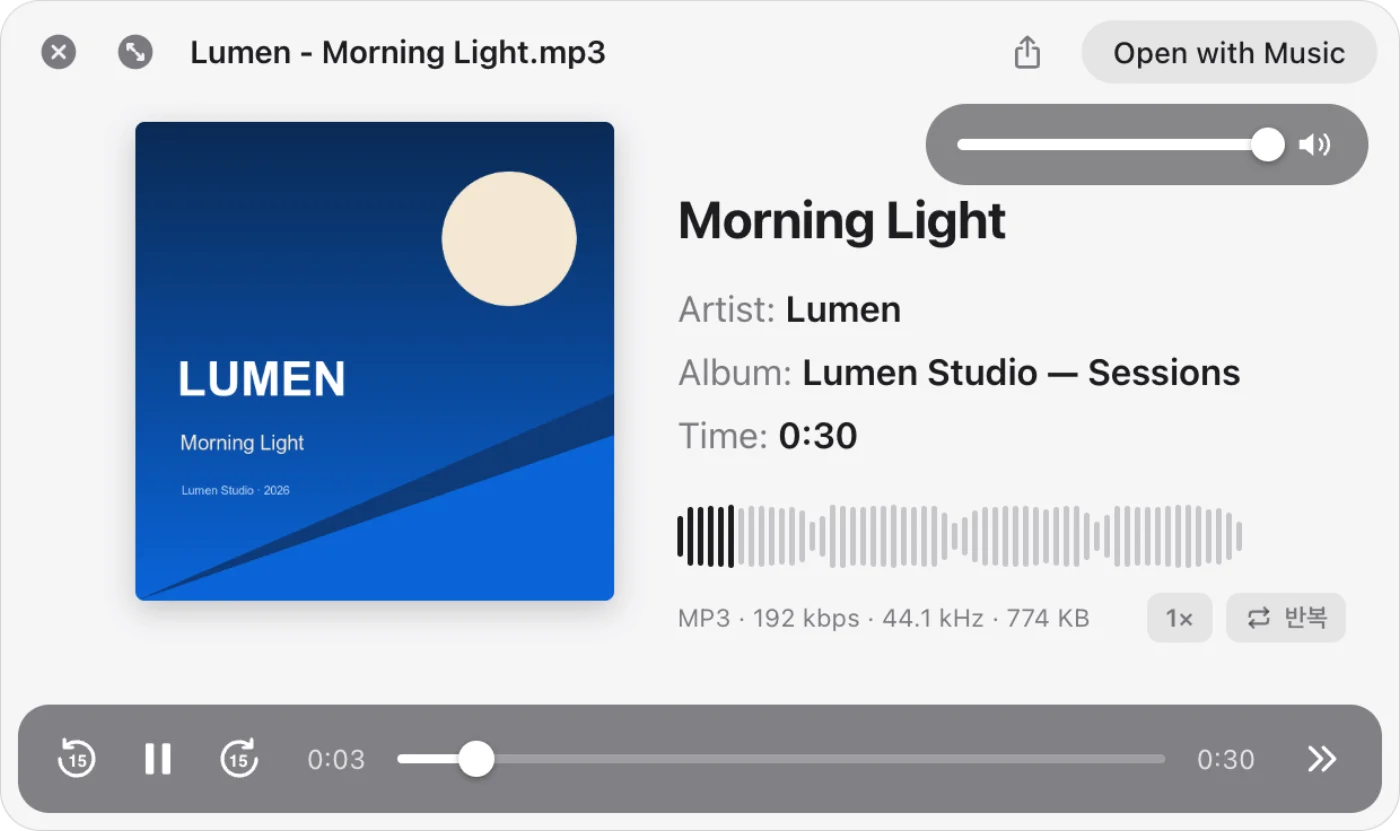
Markdown, code, PDF, video, audio, Office and HWP. Previewed instantly, without opening another app.
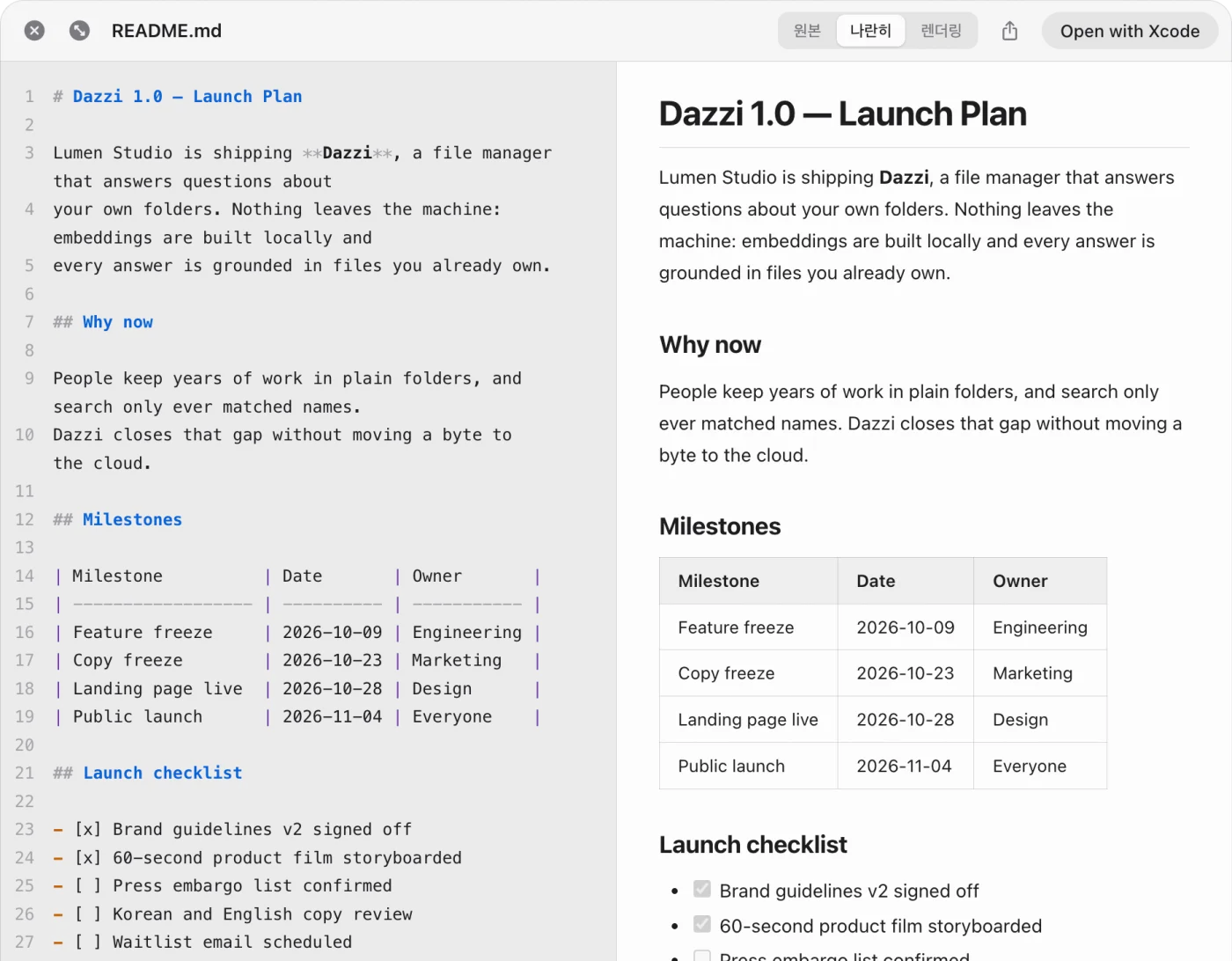
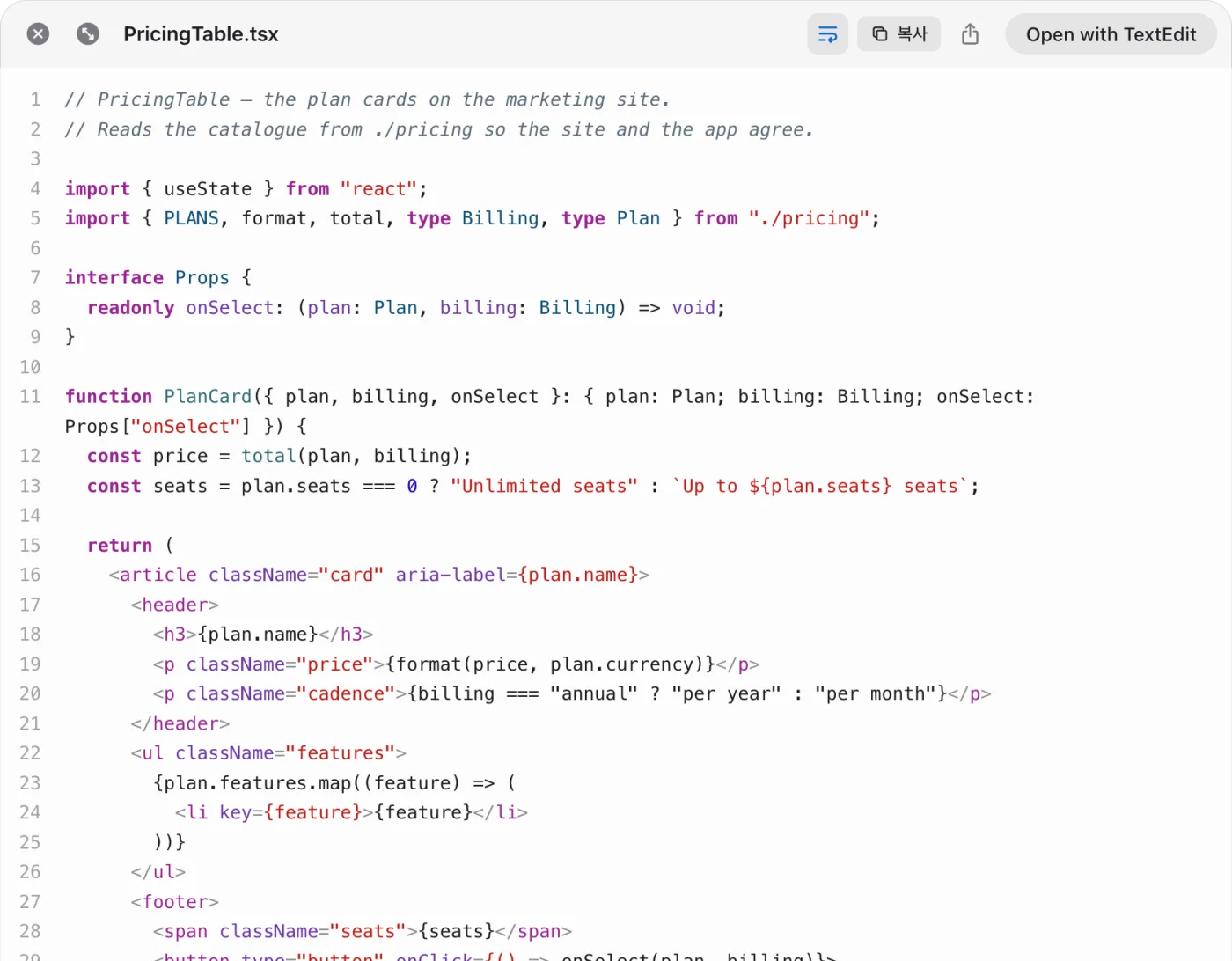
Quick Look showing Markdown source beside the rendered page Quick Look showing syntax-highlighted code Quick Look showing a multi-page PDF with a page rail Quick Look playing a video Quick Look playing an audio file with cover art and waveform
Hybrid search

Keywords and meaning.

Both at once, reordered by a reranker, so the right file rises first.

Drag & ask

Drop it in.

Drag files, folders or links into a question to ask about just those.

Always current

Indexes itself.

New and edited files are picked up on a schedule you choose, even while Dazzi is closed.

Sources

See where it read.

Answers link to the files behind them. One tap opens the passage.

Version grouping

Spot the twins.

proposal-final, proposal-v3, proposal (1). Stacked into one row, newest on top. Never open the wrong one again.
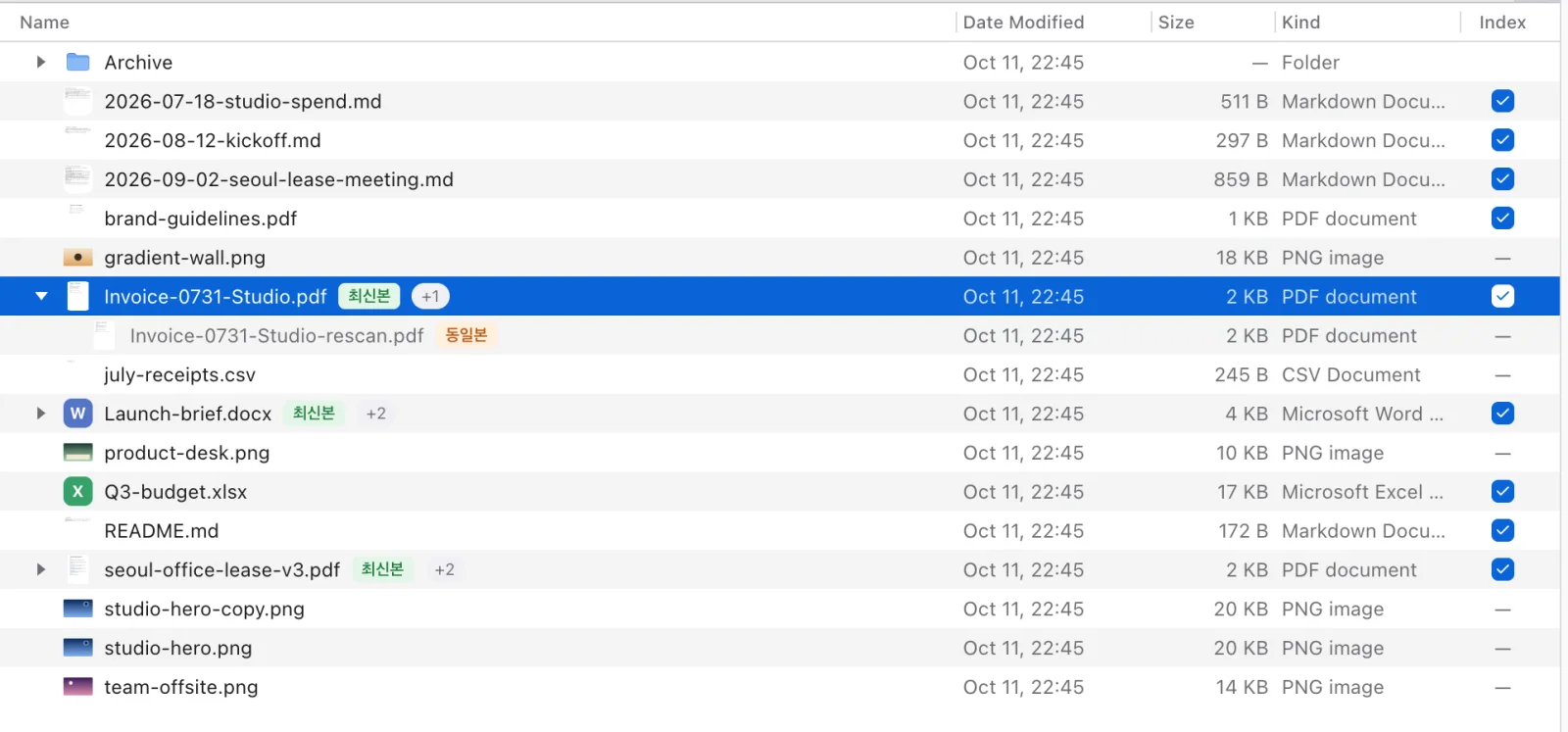
Finder list with an invoice and its identical rescan stacked under one row
Data sources

Every place.
One search.

Connect the apps you already talk in. Dazzi searches them right alongside your files.

Slack

Channels and threads

KakaoTalk

Chats on this Mac

Discord

Servers and forums

Telegram

Chats and channels

WhatsApp

Messages, read-only

Mail

Every inbox you sign in to

GitHub

Repos, issues, PRs

Obsidian

Your vaults

A real Finder

Tabs and panes.
Your way.

Drag any tab to an edge to split. Every pane keeps its own tabs, so a folder, a second folder and an AI chat can sit side by side.
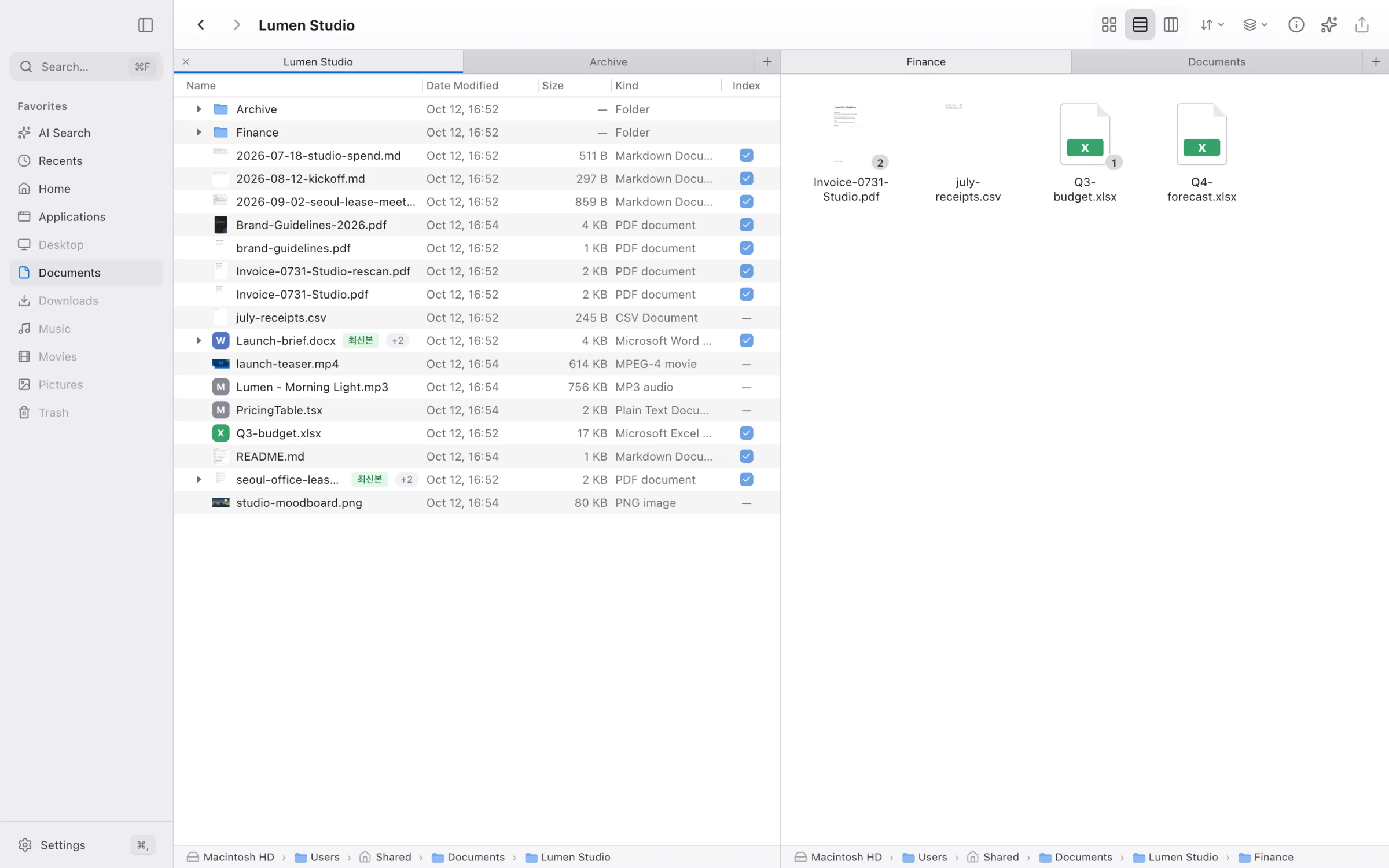
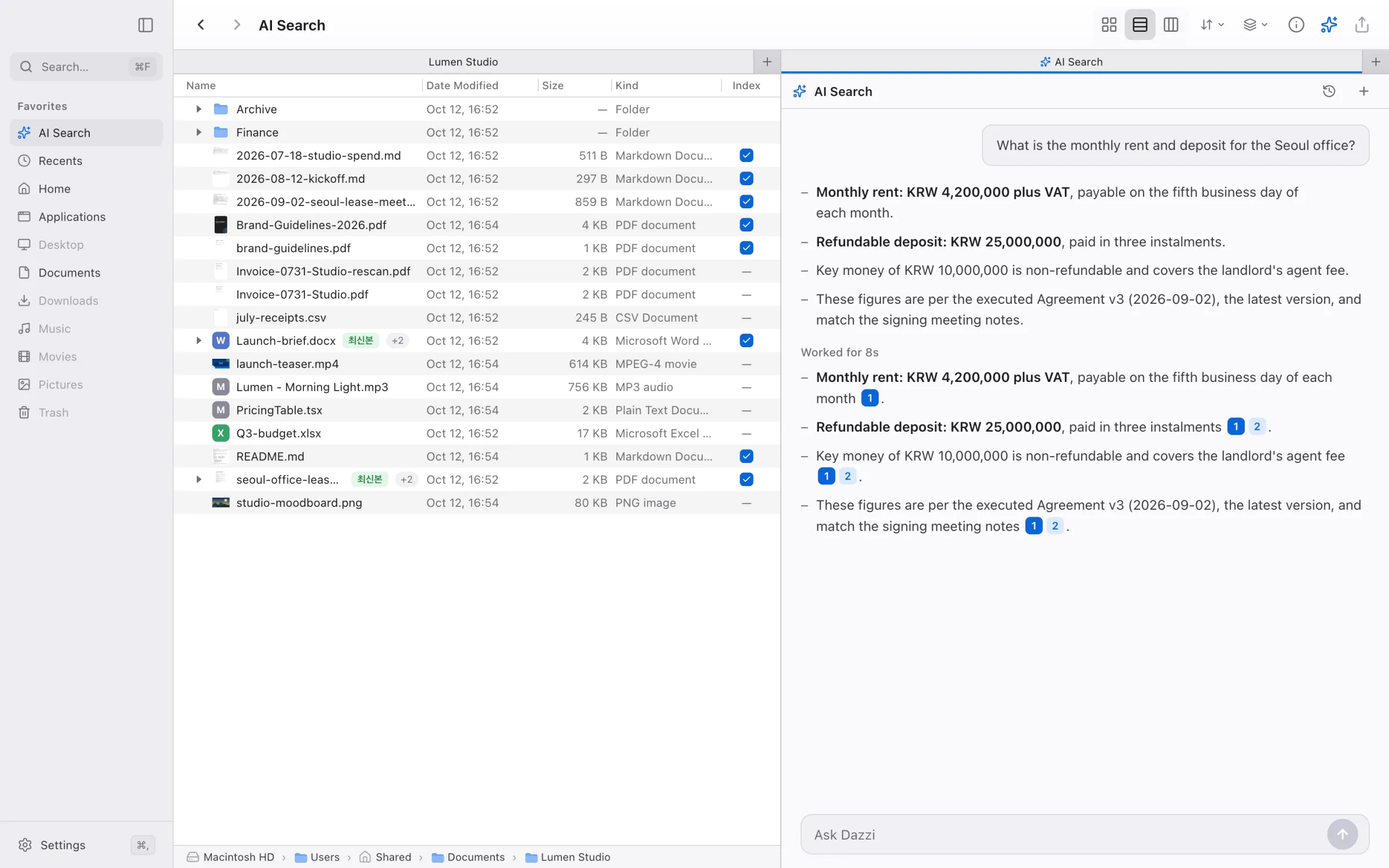
Two Finder panes side by side, each with its own tabs A folder pane beside an AI Search pane Three Finder panes split horizontally and vertically
  • Drag to splitDrop a tab on any edge. Drop it on a strip to merge back.
  • Tabs per pane⌘T and ⌘W act on the pane you’re in.
  • Resize freelyDrag the seam. Panes glide into place.
Private by design

Local first.
Open at the core.

Your files are understood on your Mac. When something has to leave, Dazzi shows you exactly what first.

Embedded on this Mac

Document understanding runs locally. File contents are never sent to a remote embedder.

Keys stay encrypted

Sign-in tokens and API keys live in the system’s encrypted store, never in a config file.

Bring your own model

Use Dazzi’s managed models, or connect your own provider key and pay them directly.

Dazzi is powered by AutoRAG The open-source librarian agent behind every search. Read the code, star it, build on it.
Pricing

Start free.

Every plan keeps document understanding on your Mac. Pick how much AI you want on top.

Free
$0
Start right away, no card
  • Local embedding on this Mac
  • Managed AI models · basic usage
  • Full Finder and search
Air
$4/mo
Light everyday use
  • Everything in Free
  • Managed AI models · generous usage
  • Cancel anytime
7-day free trial
Pro
$20/mo
Fastest first indexing
  • Everything in Air
  • Managed AI models · highest usage
  • Cancel anytime
BYOK
API costs only
Your key, your provider
  • Choose provider and model
  • Requests go only to your provider
  • Local embedding on this Mac

Prices in USD. Manage or cancel any time from Settings › Subscription.

Meet Dazzi.

Ask your files. On your Mac.

Download for Mac Powered by AutoRAG
Dazzi for MacFree to start Download